Play VR cricket free in your browser
Yes, you can play VR cricket free, with nothing to install. Put on your Meta Quest, open the Browser, go to rbcvr.com and press Play free now, then Enter VR. You'll be batting in RealBat Cricket VR's nets in under a minute. No download, no card, no account.
Already in your Quest?
Tap the button and you're at the crease.
On a phone or computer? The link shows you how to open it on your headset.
How it works
Most VR games have to be downloaded from a store. RealBat Cricket VR's demo uses WebXR, the standard that lets a web page take over a VR headset. The Meta Quest Browser supports it, so the game streams to your headset like a web page and then switches into full VR when you press Enter VR.
It isn't a cut-down mini-game. It's the real game, built for the web: the same ball physics, the same bat contact and the same bowling as the full game on the Meta Horizon Store.
Start playing in four steps
- Clear your spaceStand in the middle of your Quest boundary, with room to swing a bat in every direction.
- Open the BrowserIt's in your Quest's app library. You don't need to install anything.
- Go to rbcvr.comType it in the address bar. It's short on purpose, so it's quick on a VR keyboard. Press Play free now.
- Press Enter VR and take guardThe game finds your stance and your height, then the bowler runs in. Swing the controller like a bat.
What's in the free demo
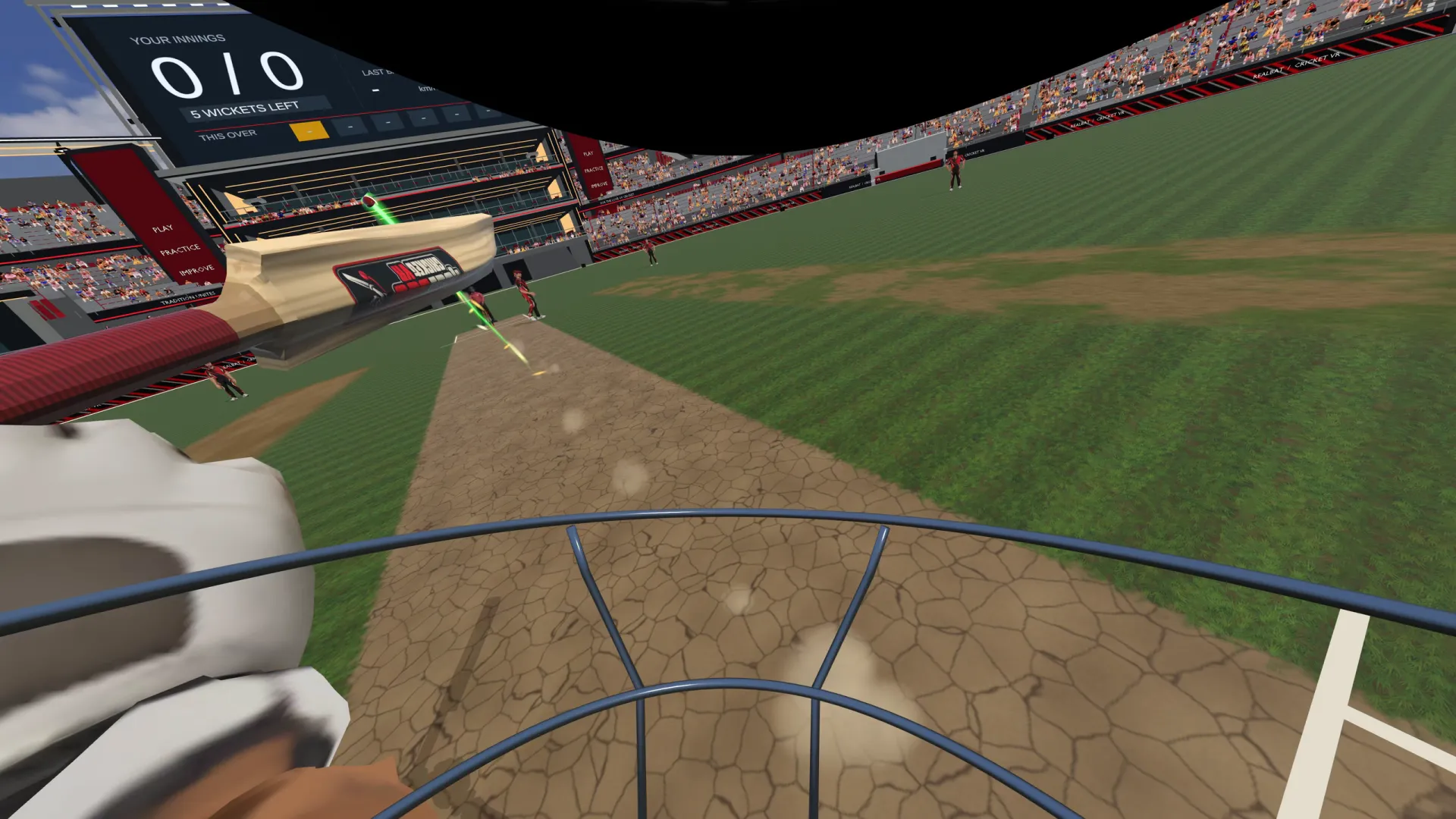
- The nets, with a bowling machine, a keeper and a fielder.
- Real ball physics: swing, seam and spin, the ball's flight worked out 240 times a second.
- A real sweet spot: the middle, the edge, the toe and the handle each play differently, with their own sound and controller buzz.
- A taste of Auto-fire, the score-attack mode where the machine fires to the beat.
- Your first balls free, then add your email (we send a code) to keep batting in the nets.
Free demo vs the full game
| Free browser demo | Full game ($14.99) | |
|---|---|---|
| Where | Quest Browser, nothing to install | Meta Horizon Store app |
| Nets | Yes, with a bowling machine | Yes: choose pace, swing, seam, off-spin, leg-spin or left-arm |
| 10-over Match vs a full side | No | Yes, at RealBat Stadium or the Colosseum |
| Auto-fire score attack | A taste: a few minutes of each mode | As many rounds as you like, with wagon wheel and sweet-spot map |
| Levels | Easy | Easy, Medium and Hard, each with a leaderboard |
| Batsman body and LBW | No | Yes: seven batsmen, LBW with ball tracking |
| Real bat | The controller is your bat handle | Strap the controller to a real bat; two controllers on one bat |
When you're ready for matches, get RealBat Cricket VR on the Meta Horizon Store.
Which headsets?
Meta Quest 2, Quest 3 and Quest 3S, in the Quest's own Browser app. The demo needs a VR headset with motion controllers: on a phone or a computer, the page shows you how to open it on your headset instead.
Other free VR cricket options
Most other VR cricket games are paid downloads from the Meta Horizon Store or Steam; a few have demos on Steam for PC VR, and some hobby projects on itch.io are free but unfinished. As far as we know, RealBat is the only VR cricket game you can play straight from the Quest browser. Compare them all in the best VR cricket games for Meta Quest.
Tips for your first session
- Hold the controller like a bat handle, with the wrist strap on, and swing through the line of the ball.
- Watch the ball out of the hand. The bowling machine varies line and length, so play each ball on its merits.
- Use your feet. Step forward to the full ones and back to the short ones, just as in the nets.
- Got a bat? In the full game you can strap the controller to it. See how to use a real cricket bat in VR.
Questions
Is the demo really free?
Yes. No card, no account, nothing to install. After your first balls, add your email to keep batting in the nets.
Do I need to download anything?
No. The demo runs in the Meta Quest Browser using WebXR.
Does it work on Quest 2?
Yes, on Quest 2, Quest 3 and Quest 3S.
Can I play VR cricket on my phone or PC?
The demo needs a VR headset with motion controllers to bat. On a phone or computer, the page shows you how to open it on your Quest.
Who is it for?
Players aged 13 and over.
New to VR cricket? Start with our complete guide to VR cricket.